# Introducing our new interactive Telegram notifications
When something is wrong with your site, we can already notify you via a lot of different channels: mail, Slack, SMS, Webhooks, ...
Today, we're adding support for Telegram notifications. We've polished the entire connection flow and made the notifications themselves interactive.
To get started, click the **Telegram** notification channel at either the team or site level.
First, you need to invite `@OhDearAppBot` to your Telegram channel.
Next, you must copy the start command we generated and paste it into the Telegram channel.
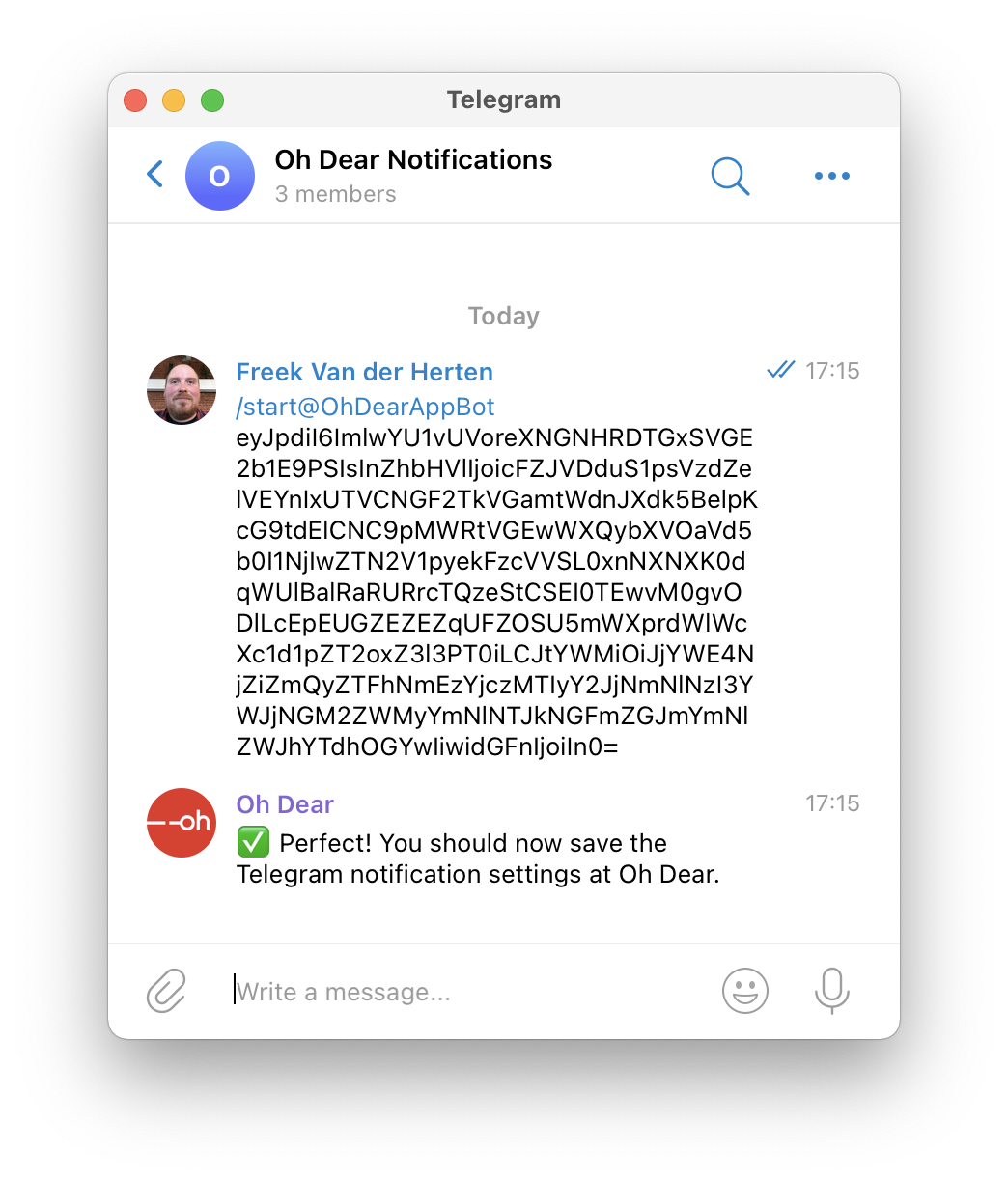 At Oh Dear, the start command will be acknowledged too.
Finally, you must choose for which events you want to receive notifications and save the Telegram settings.
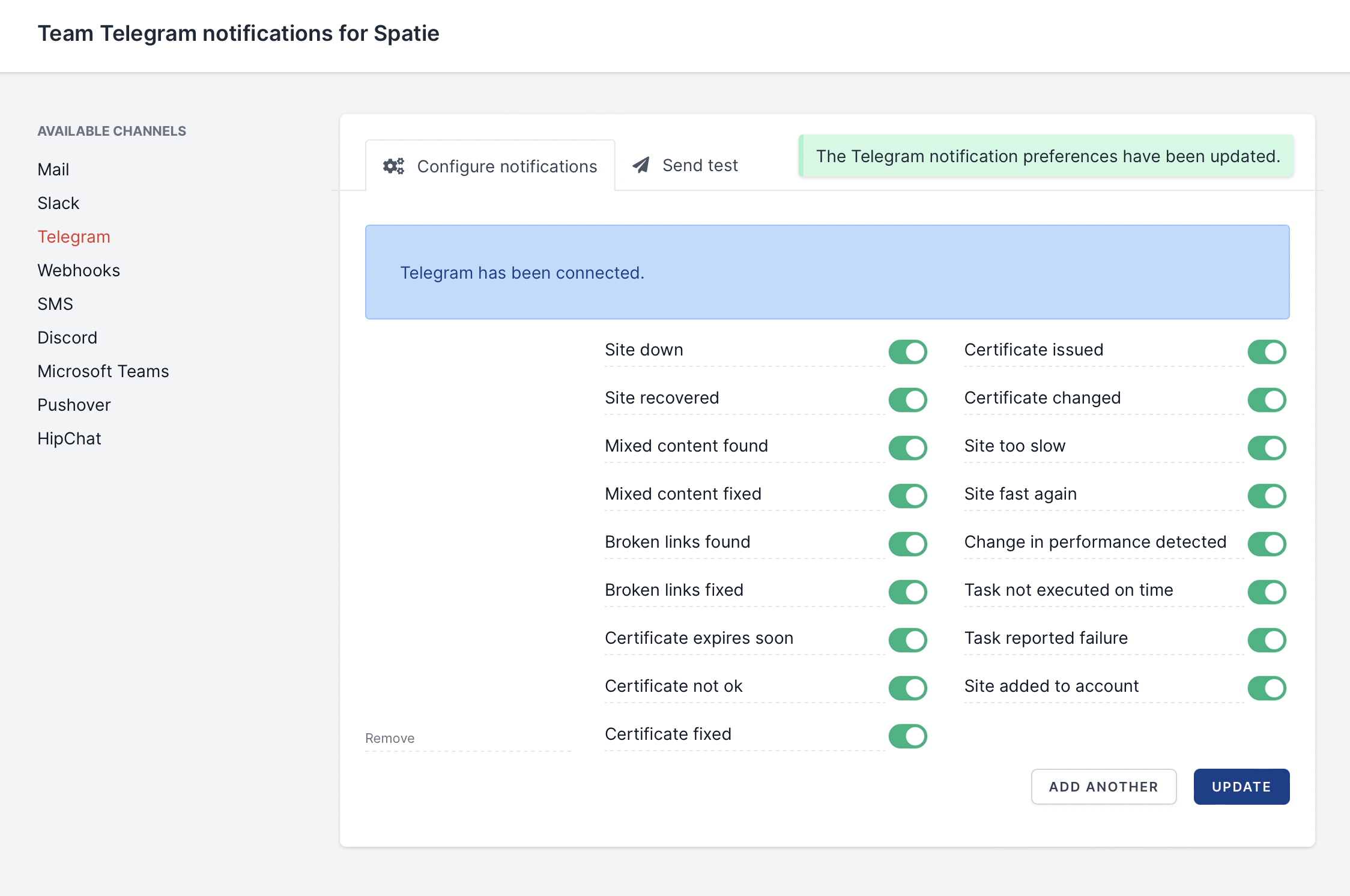
Whenever something is wrong with your site, we'll send you a notification. Let's take a look at what happens when the site is down.
At Oh Dear, the start command will be acknowledged too.
Finally, you must choose for which events you want to receive notifications and save the Telegram settings.

Whenever something is wrong with your site, we'll send you a notification. Let's take a look at what happens when the site is down.
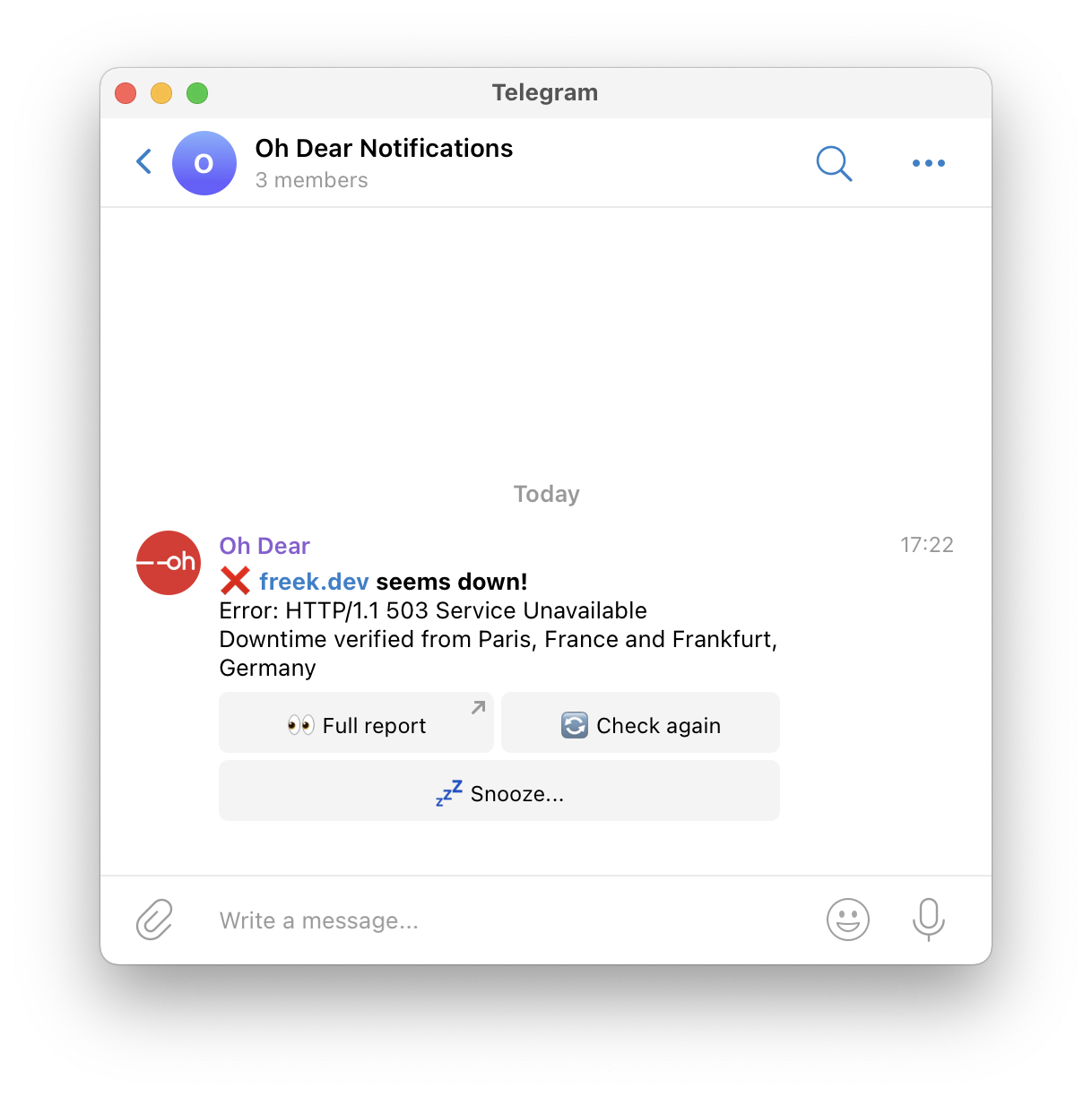 Notice that there are buttons underneath the notification to view the full report, snooze further notifications, and to rerun the check. Pretty handy.
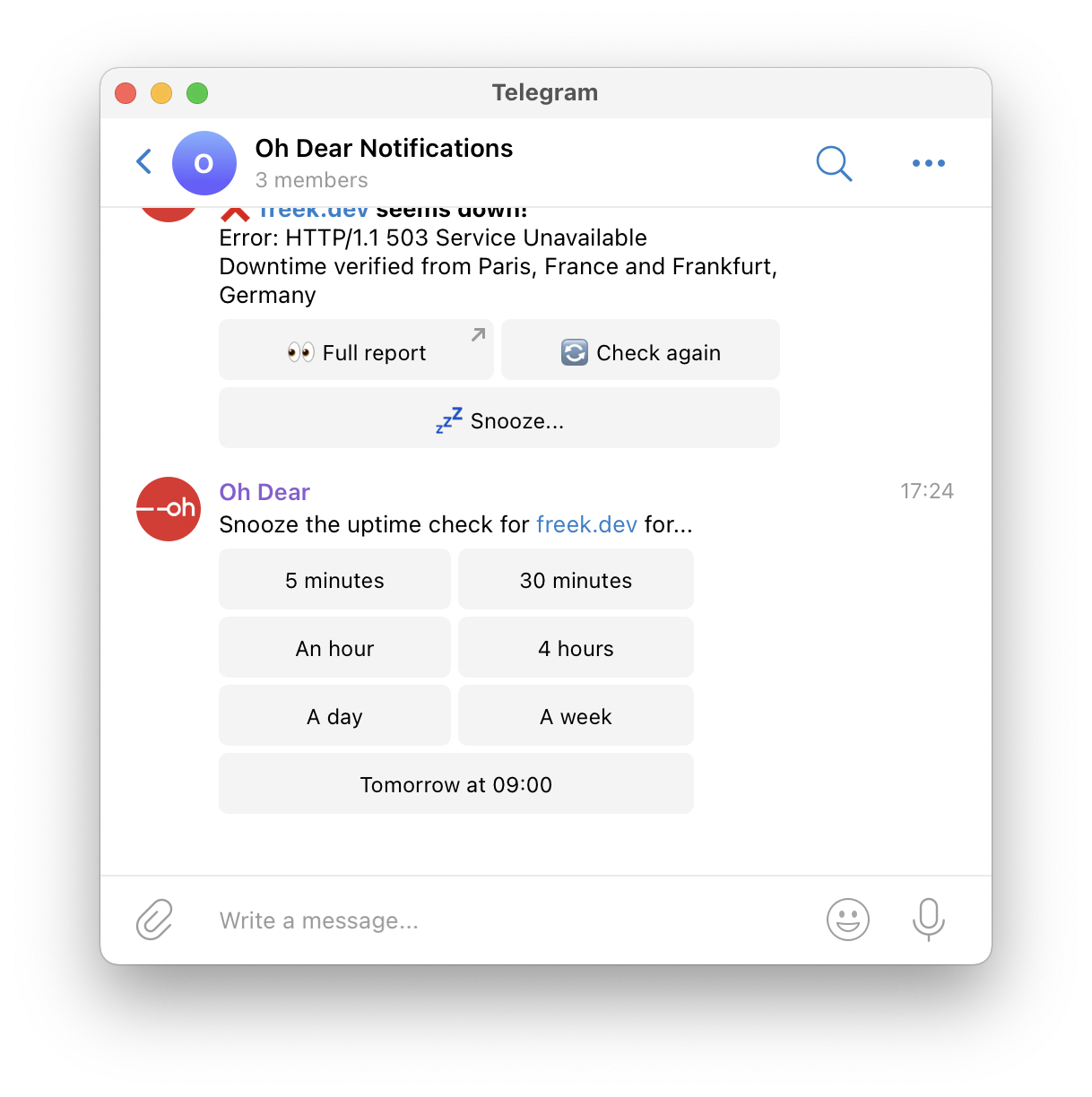
When you press "Snooze", you'll see the various snoozing options.
Notice that there are buttons underneath the notification to view the full report, snooze further notifications, and to rerun the check. Pretty handy.
When you press "Snooze", you'll see the various snoozing options.
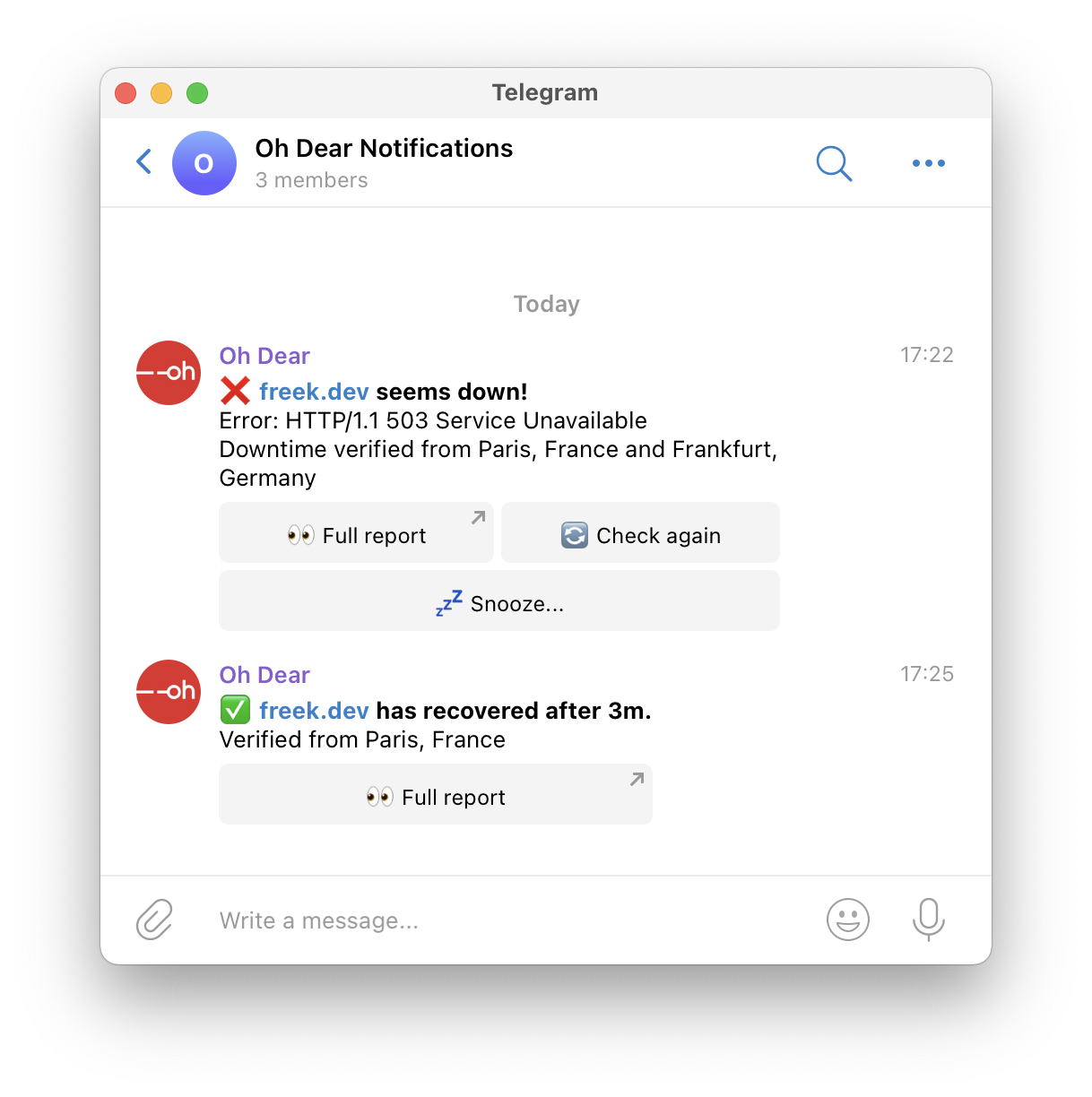
 Let's give this post a happy ending by showing what the notification looks like when a site comes back online.
 Combine them with [in- and outside-business-hour notifications](/news-and-updates/in-outside-business-hour-notifications) to stay sane.
We hope you like this new notification channel.
Combine them with [in- and outside-business-hour notifications](/news-and-updates/in-outside-business-hour-notifications) to stay sane.
We hope you like this new notification channel.