Kirby CMS Plugin for Oh Dear Monitoring
Needs updating
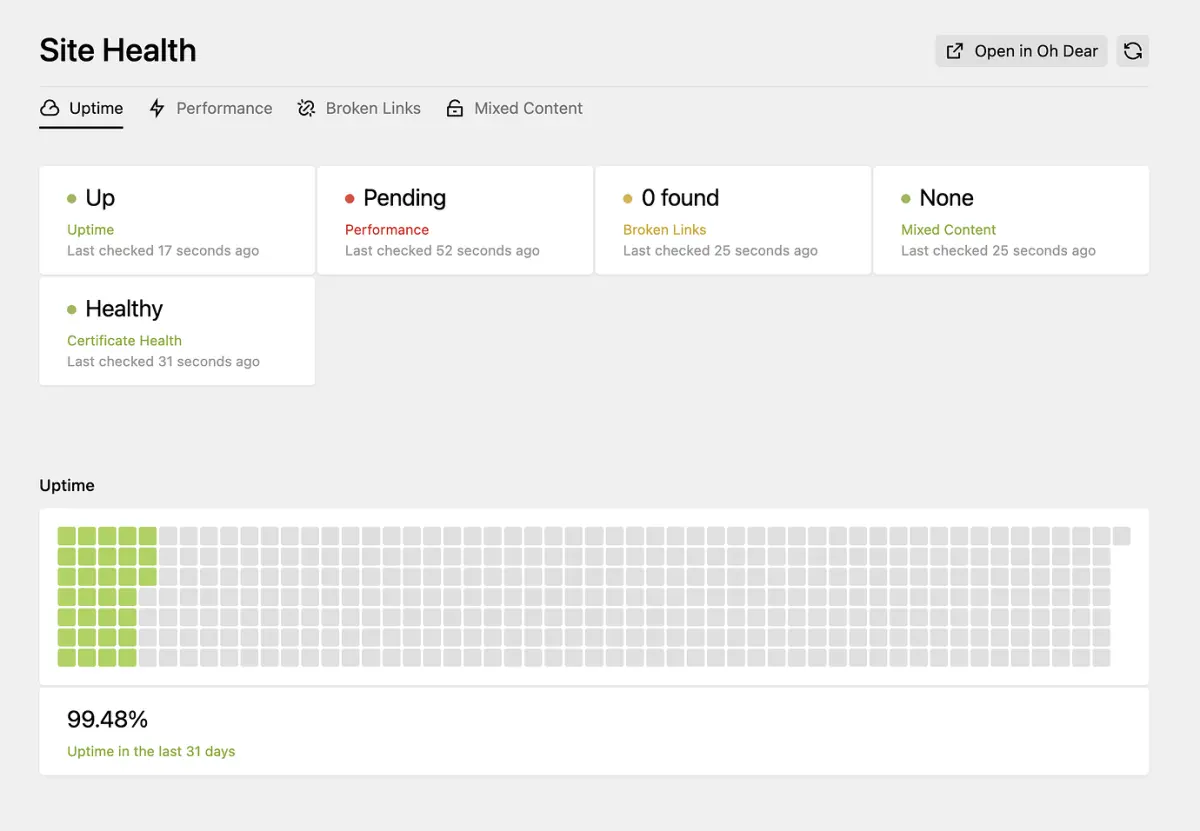
View Oh Dear uptime, performance, broken links and SSL health right in your Kirby 4.0+ admin panel using dashboard widgets, with no context switching.
by
tobimori
Oh Dear Integration for Kirby CMS #
This community plugin brings Oh Dear monitoring data directly into your Kirby CMS admin panel. View uptime, performance, broken links, and SSL health without leaving Kirby.
Features #
- Dashboard Widgets: See your site's health status at a glance in the Kirby panel
- Uptime Monitoring: View uptime statistics and recent incidents
- Performance Metrics: Monitor page load times and performance scores
- Broken Links: See broken links detected by Oh Dear's crawler
- SSL Health: Monitor certificate expiration and health
Requirements #
- Kirby 4.0 or higher
- An Oh Dear account with an API token
Installation #
The plugin can be installed via Composer or by downloading directly from the repository.
Configuration #
Add your Oh Dear API token and site ID to your Kirby config:
return [
    'ohdear' => [
        'api_token' => 'your-api-token',
        'site_id' => 12345,
    ],
];
Note: This plugin was released as an alpha version and may require updates for newer Kirby versions. Check the repository for the latest status.
Screenshots