Grouped notifications: one message instead of hundreds
Published on November 23, 2026 by Mattias Geniar

When a server goes down, every site on it also goes offline. If you host 30 sites on that server, you'd get 30 separate "seems down" messages. That can be a lot!
Good news: you can now group those alerts into a single message, if you opt-in.
Without grouping #
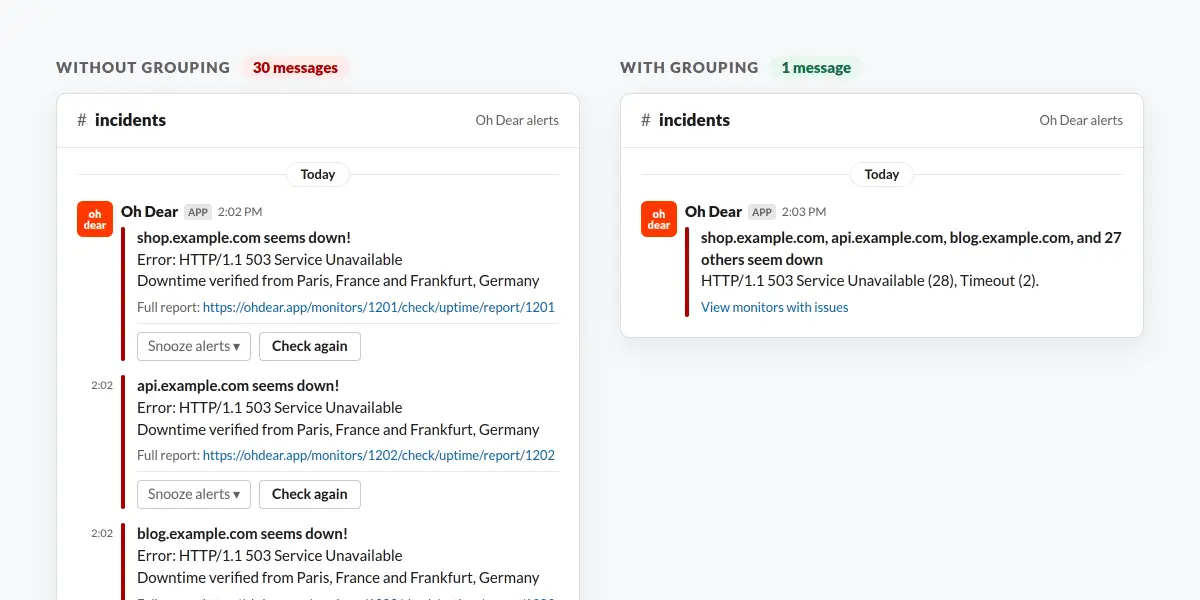
Here's a Slack channel when 30 sites on one server go down. Every site sends its own alert, and they all arrive in the same minute:
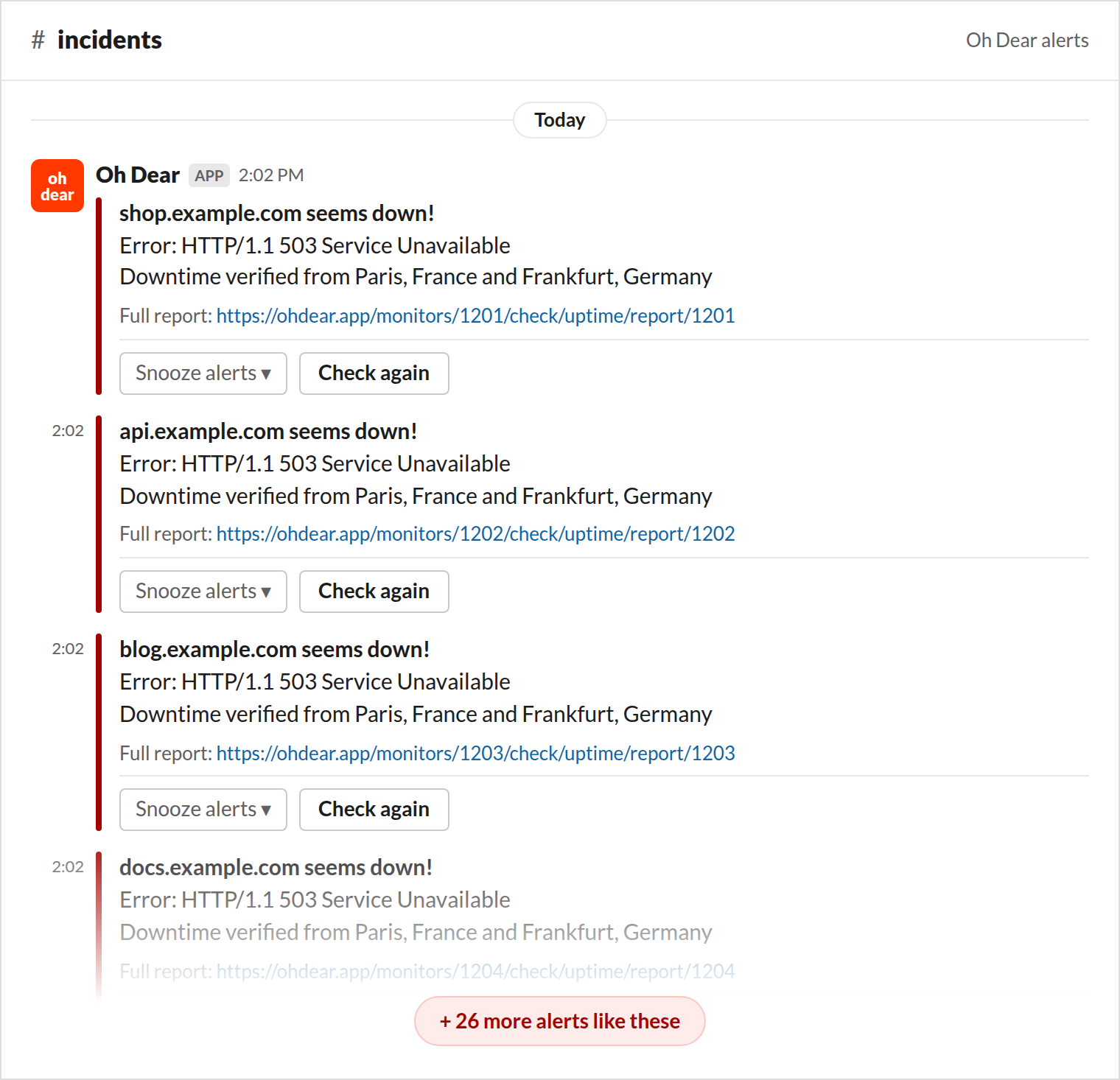
Each alert is correct. But 30 of them in a row are hard to read. If a site on a different server goes down at the same time, you'll probably miss it.
With grouping #
Turn on grouping, and the same outage sends one message:
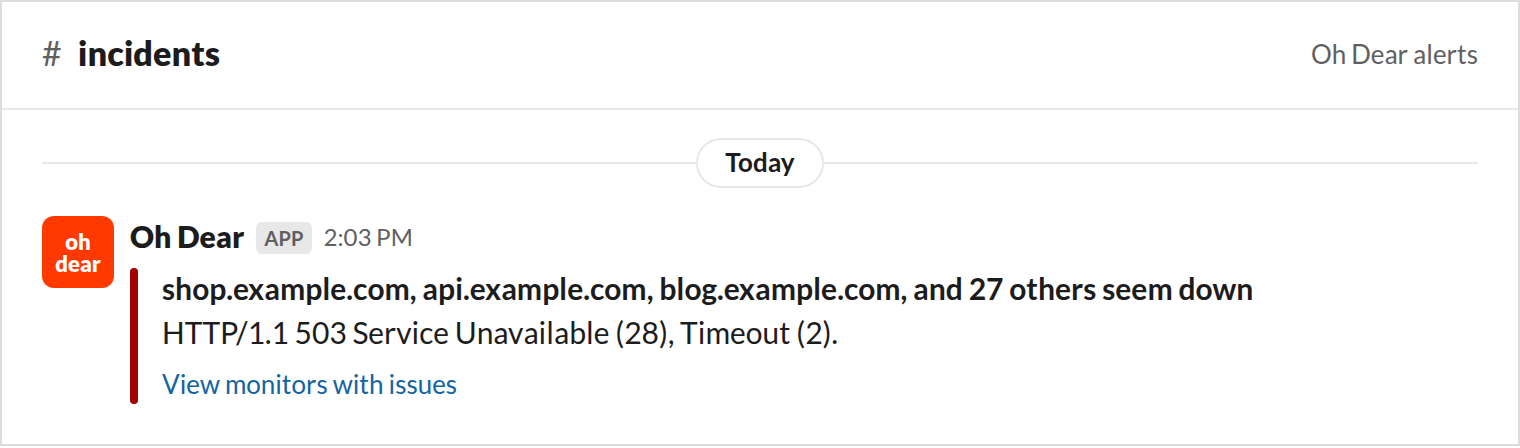
The title names the monitors, using the same words as a single alert. The line below it lists the reasons they went down. Each reason has a count, and the most common one comes first. That tells you right away if this is one problem or several.
When the sites come back, you get one recovery message too:
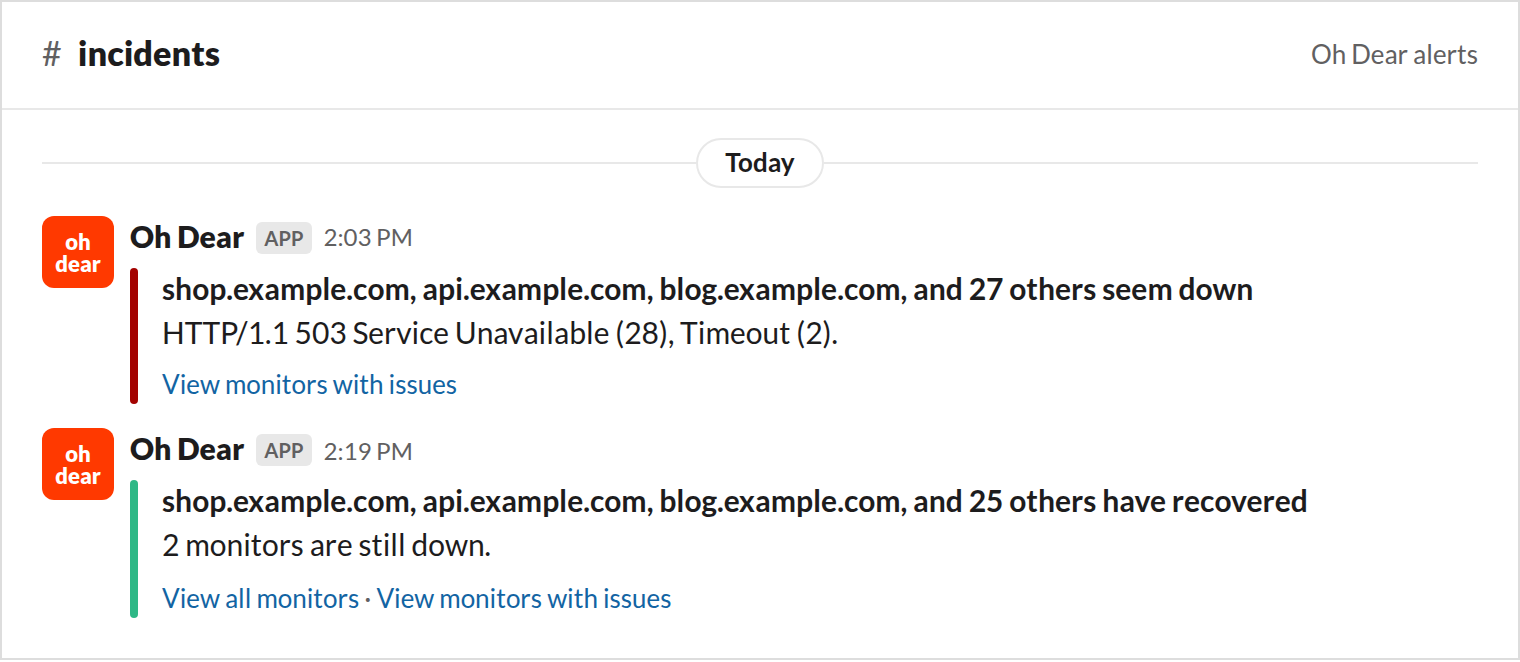
The line below the title tells you how many monitors are still down. After an incident, that's how you know if you're done.
The email notification shows more. It lists every affected monitor with a link to its report together with the monitors that are still down. It also has the full error details for one of them, just like a single alert.
Turning it on #
Grouping is off by default. You turn it on for each notification destination separately. Open a destination, click Advanced settings, and pick how long to wait on the Grouping tab.
| Setting | Options |
|---|---|
| Wait time | 30 seconds, 1 minute, or 2 minutes |
| Channels | Email, Slack, Discord, and Google Chat |
| Grouped events | Monitor down & recovered, certificate unhealthy & fixed |
| Everything else | Sent straight away, like before |
Each destination has its own setting. So your team channel can get one message. Your on-call channel can still get every alert the second it happens.
The downside #
To send one complete message, we have to wait for the other alerts to arrive. The first alert starts the timer. Later alerts join the group, but they don't reset the timer. Even a single alert waits the full time. So with a 1 minute wait, you hear about a single failing site a minute later than without grouping.
We think that's worth it when the other option is 30 notifications on your phone. But you decide. That's why grouping is off until you turn it on. 😁
Monitors that stay down #
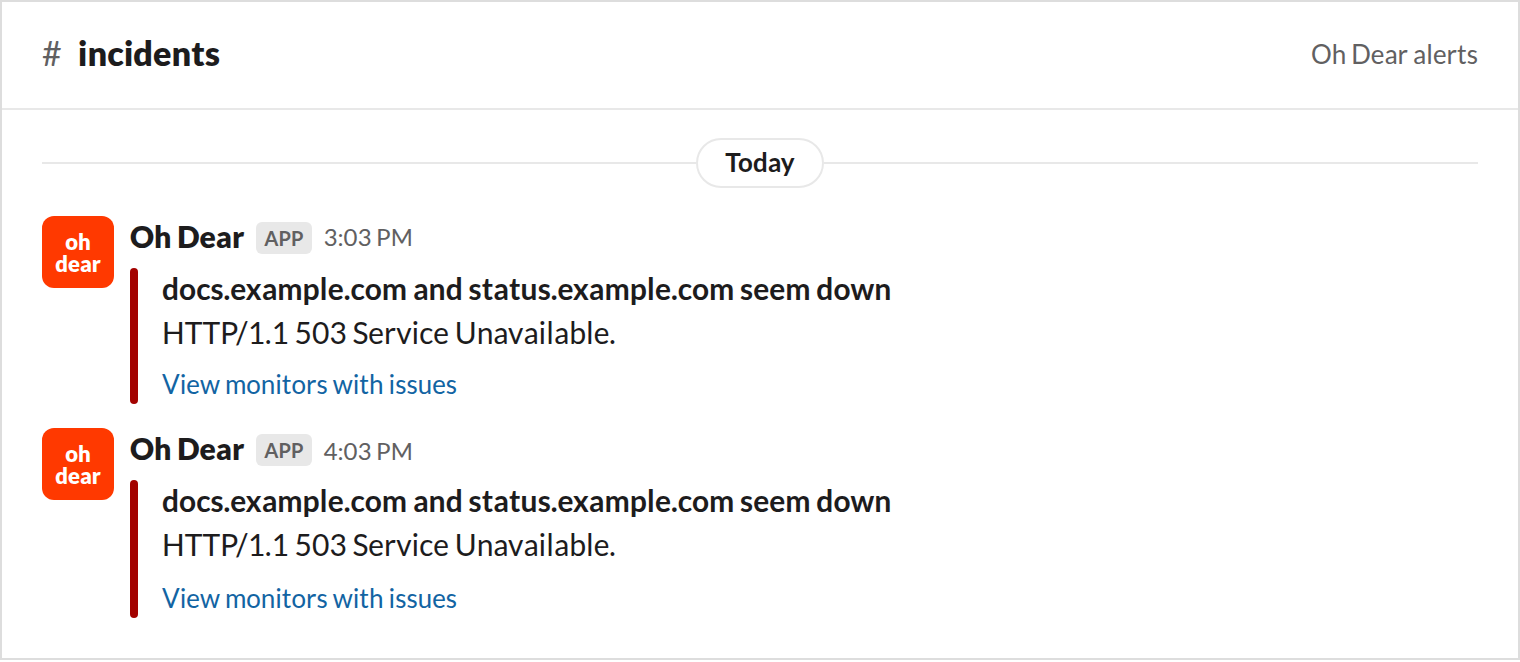
A monitor that stays down repeats its alert every hour, same as always. Those repeats are grouped too. So the two sites that are still down send one message per hour, not two:
Try it #
Open your notification settings, pick a destination, and turn on grouping. The documentation explains every detail. That includes what happens when you turn it off during an incident.
This feature came from customers who monitor 100+ sites on a few servers. If you have an idea that would make your alerts better, we'd love to hear it.