Uptime checks can now send a JSON body
Published on August 6, 2026 by Freek Van der Herten

An uptime check in Oh Dear is more than a ping. You can pick the HTTP verb, send along custom request headers, look for a string in the response, assert on fields in a JSON response, verify response headers, change how often the check runs, and choose which of our locations performs it.
One thing you couldn't do until now was send a JSON request body. The payload was a list of name/value pairs, and those go out as form parameters. That's fine for a form, but it's the wrong shape for most APIs.
A good use case for this is testing a GraphQL API, as a GraphQL request is in essence a JSON body with a query key and usually a variables object to go with it.
Sending a JSON body #
To demonstrate the new JSON requests we'll use the Rick and Morty API. If you haven't seen the Rick and Morty show, you definitely should, it's one of my favourites. The API is free and contains data about the characters, locations, and episodes of the show.
To get the first character in the API we could send this query:
{
    "query": "query($ids: [ID!]!) { charactersByIds(ids: $ids) { name } }",
    "variables": {
        "ids": [
            1
        ]
    }
}
The API will respond with the name of the main character: Rick Sanchez.
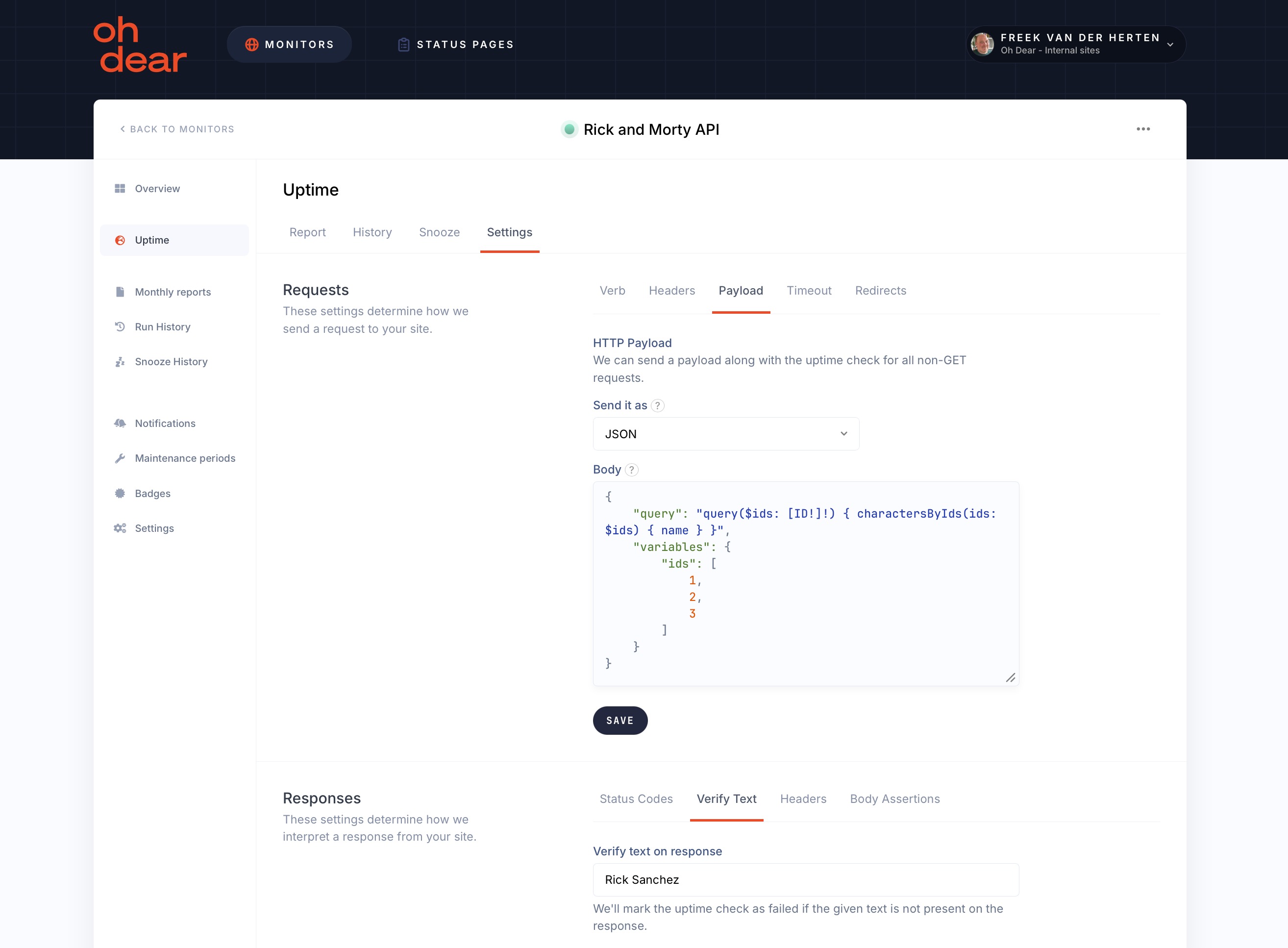
To monitor this API, we can go to the "Payload" tab of the uptime check in Oh Dear. There you can specify the JSON that needs to be sent, and the response that is expected.
Here's what it looks like in Oh Dear:
When that expected response isn't returned, we'll send you a notification via our powerful notification system.