How to acknowledge or snooze notifications
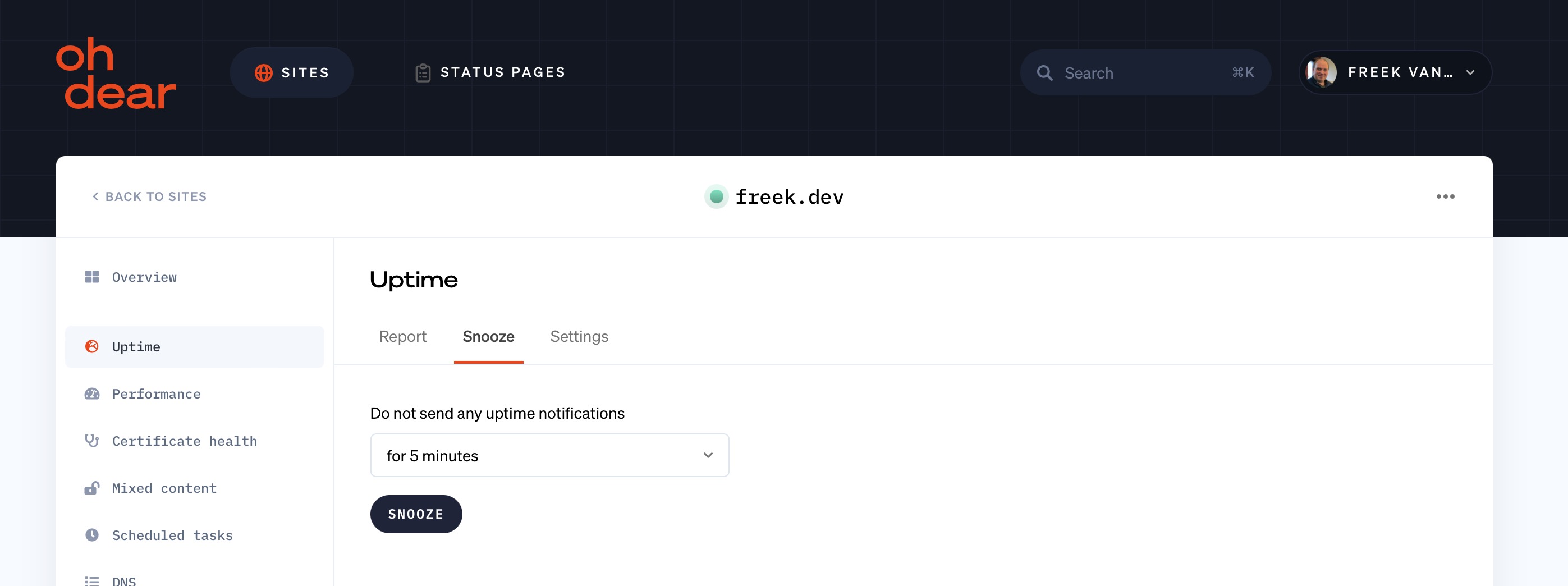
You can temporarily silence notifications for a check. We will still perform all checks; we just hold back the alerts. Depending on the state of the check, this is called acknowledging or snoozing:
- Acknowledge: the check is currently failing and you're on it. Acknowledging silences the repeated "down" alerts for that incident, but the recovery notification still comes through, and it ends the acknowledgement, so the next incident alerts again right away. You pick a duration as a safety net; the silence ends when the check recovers or when the timer runs out, whichever comes first.
- Snooze: the check is healthy and you want to silence it preventively, for example during planned work. A snooze is the full mute, it silences both directions, the "down" and the "up", so you hear nothing at all until the timer runs out. You own the quiet window.
Which one you get is decided by the state of the check when you hit the button: failing means acknowledge, healthy means snooze. The button label tells you which.
Acknowledge or snooze per check #
We perform several major checks per site: uptime reporting, broken links checking, certificate health, ...
Per type of check, you can silence all its notifications. This applies to every channel that would normally be alerted: Slack, SMS, webhooks, ... all of them stay silent.
Scheduled tasks and application health checks #
You can also silence individual scheduled tasks and application health checks. This is useful if you want to pause a single scheduled task or application health check from alerting you while the others stay active. These item-level silences run for the duration you pick.
The tab is available on each of the individual detail pages, and the history is visible in the 'Acknowledgements & snoozes' overview.
Available on each check page #
The tab is available on every check page: it reads Acknowledge while the check is failing and Snooze while it's healthy. You can also acknowledge straight from the alert itself: the e-mail contains one-click links, and the Slack and Telegram messages carry an acknowledge action.
Cancelling early #
If the silence isn't needed any more, you can cancel it from the same screen you activated it, and alerting resumes immediately.
Feel free to reach out via support@ohdear.app or on X via @OhDearApp if you have any other questions. We'd love to help!